How to Add a User to Your Google Business Profile
•3 min read
If Anderson Digital is helping with your Google Ads or Google Business Profile, you may need to add us as a manager on your listing.
Here's how:
Step 1: Search Your Business on Google
Log into the Google account that owns the profile, then search your business name on Google.
You should see your Business Profile dashboard appear.
Alternatively, go to https://business.google.com/locations.
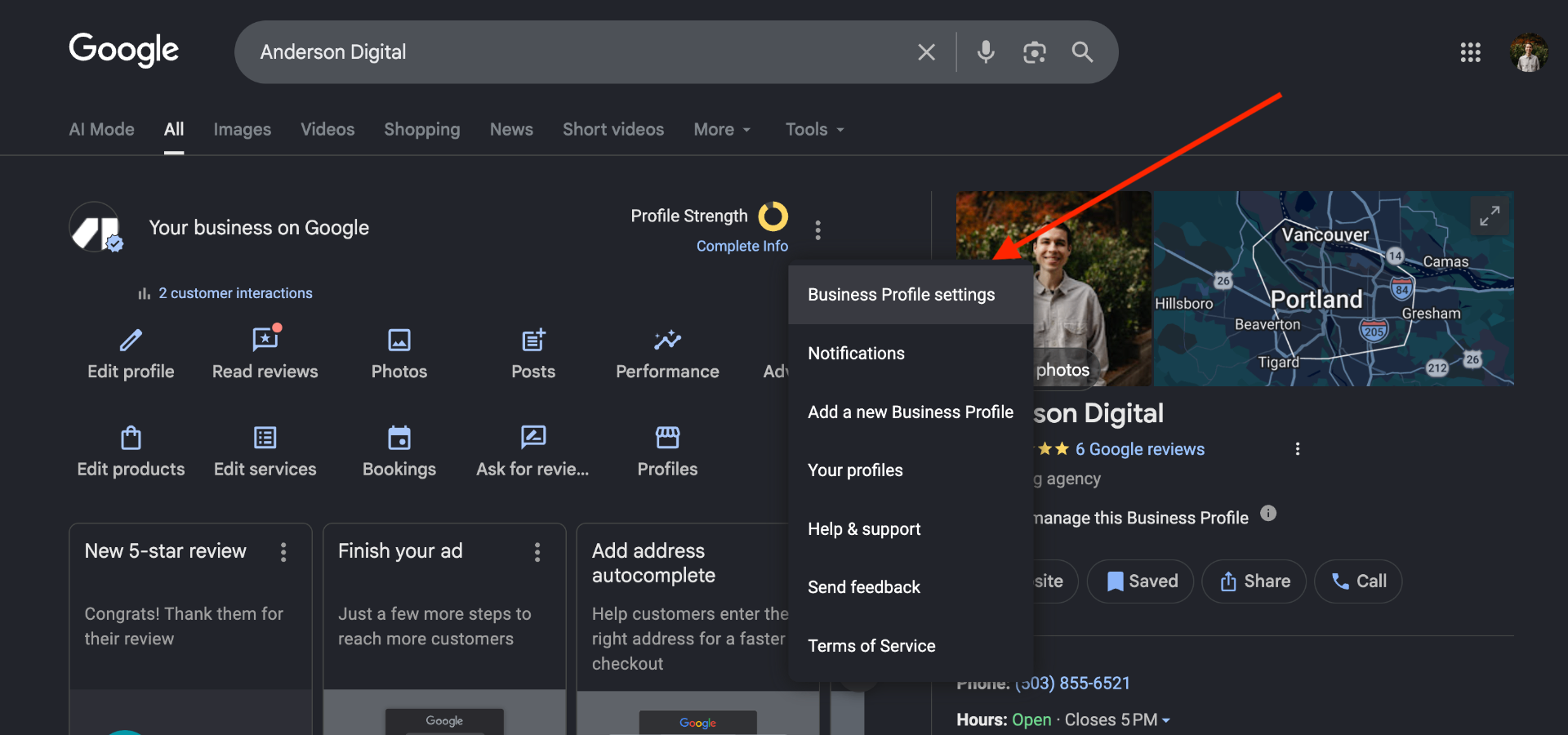
Step 2: Open Business Profile Settings
Click the three-dot menu near "Profile Strength," then click:
Business Profile settings
Step 3: Add a User
Go to:
People and access → Add
Enter the email address and select:
Manager (recommended)
Then click Invite.
That's it — once accepted, the user will have access to help manage your profile.
Need help with Google Ads or your Google Business Profile?
Anderson Digital helps local businesses with Google Ads, Local SEO, landing pages, and Google Business Profile optimization.
Book Free Strategy Call